

- Ease of getting started vs. an evaluation over a full dataset of pre-existing trajectories
- End-to-end coverage from an initial query until a successful or unsuccessful resolution
- The ability to detect repetitive behavior or context loss over several iterations of your app
openevals package, which contains prebuilt evaluators and other convenient resources for evaluating your AI apps. It will also use OpenAI models, though you can use other providers as well.
Setup
First, ensure you have the required dependencies installed:If you are using
yarn as your package manager, you will also need to manually install @langchain/core as a peer dependency of openevals. This is not required for LangSmith evals in general.Running a simulation
There are two primary components you’ll need to get started:app: Your application, or a function wrapping it. Must accept a single chat message (dict with “role” and “content” keys) as an input arg and athread_idas a kwarg. Should accept other kwargs as more may be added in future releases. Returns a chat message as output with at least role and content keys.user: The simulated user. In this guide, we will use an imported prebuilt function namedcreate_llm_simulated_userwhich uses an LLM to generate user responses, though you can create your own too.
openevals passes a single chat message to your app from the user for each turn. Therefore you should statefully track the current history internally based on thread_id if needed.
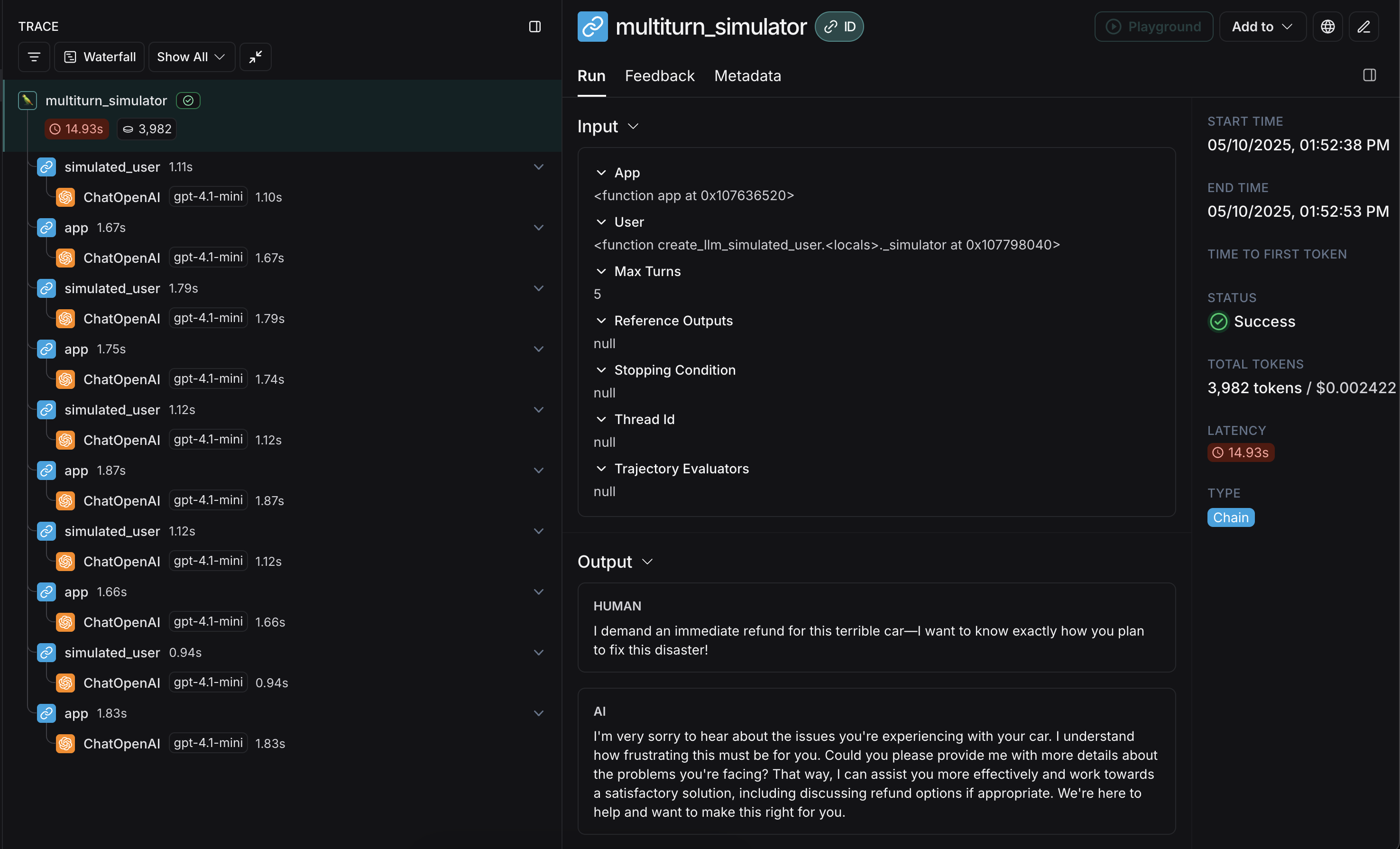
Here’s an example that simulates a multi-turn customer support interaction. This guide uses a simple chat app that wraps a single call to the OpenAI chat completions API, however this is where you would call your application or agent. In this example, our simulated user is playing the role of a particularly aggressive customer:
user, then passes response chat messages back and forth until it reaches max_turns (you can alternatively pass a stopping_condition that takes the current trajectory and returns True or False - see the OpenEvals README for more information). The return value is the final list of chat messages that make up the converation’s trajectory.
There are several ways to configure the simulated user, such as having it return fixed responses for the first turns of your simulation, as well as the simulation as a whole. For full details, check out the OpenEvals README.
app and user interleaved:
Running in LangSmith experiments
You can use the results of multi-turn simulations as part of a LangSmith experiment to track performance and progress over time. For these sections, it helps to be familiar with at least one of LangSmith’spytest (Python-only), Vitest/Jest (JS only), or evaluate runners.
Using pytest or Vitest/Jest
See the following guides to learn how to set up evals using LangSmith’s integrations with test frameworks:
trajectory_evaluators param when running the simulation. These evaluators will run at the end of the simulation, taking the final list of chat messages as an outputs kwarg. Your passed trajectory_evaluator must therefore accept this kwarg.
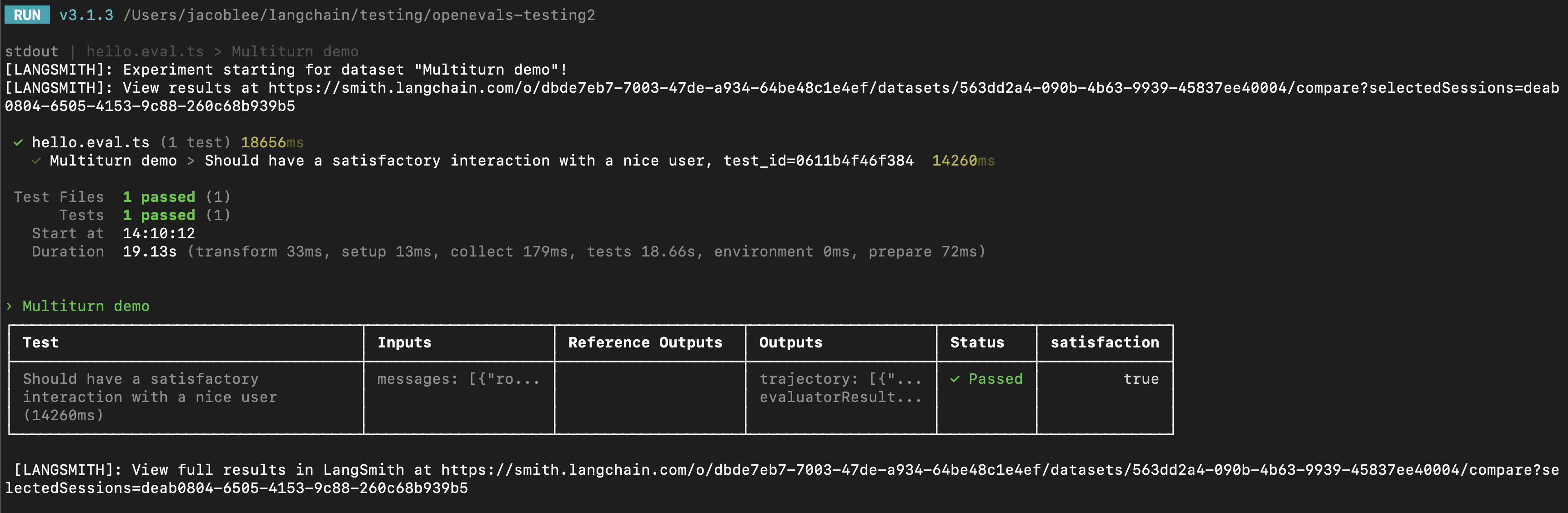
trajectory_evaluators, adding it to the experiment. Note also that the test case uses the fixed_responses param on the simulated user to start the conversation with a specific input, which you can log and make part of your stored dataset.
You may also find it convenient to have the simulated user’s system prompt be part of your logged dataset.
Using evaluate
You can also use the evaluate runner to evaluate simulated multi-turn interactions. This will be a little bit different from the pytest/Vitest/Jest example in the following ways:
- The simulation should be part of your
targetfunction, and your target function should return the final trajectory.- This will make the trajectory the
outputsthat LangSmith will pass to your evaluators.
- This will make the trajectory the
- Instead of using the
trajectory_evaluatorsparam, you should pass your evaluators as a param into theevaluate()method. - You will need an existing dataset of inputs and (optionally) reference trajectories.
Modifying the simulated user persona
The above examples run using the same simulated user persona for all input examples, defined by thesystem parameter passed into create_llm_simulated_user. If you would like to use a different persona for specific items in your dataset, you can update your dataset examples to also contain an extra field with the desired system prompt, then pass that field in when creating your simulated user like this:
Next steps
You’ve just seen some techniques for simulating multi-turn interactions and running them in LangSmith evals. Here are some topics you might want to explore next:- Trace multiturn conversations across different traces
- Use multiple messages in the playground UI
- Return multiple metrics in one evaluator
Connect these docs to your agent of choice via MCP for real-time answers.