

- Evaluate the retrieval step to ensure that the correct documents are retrieved with respect to the input query.
- Evaluate the generation step to ensure that the correct answer is generated with respect to the retrieved documents.
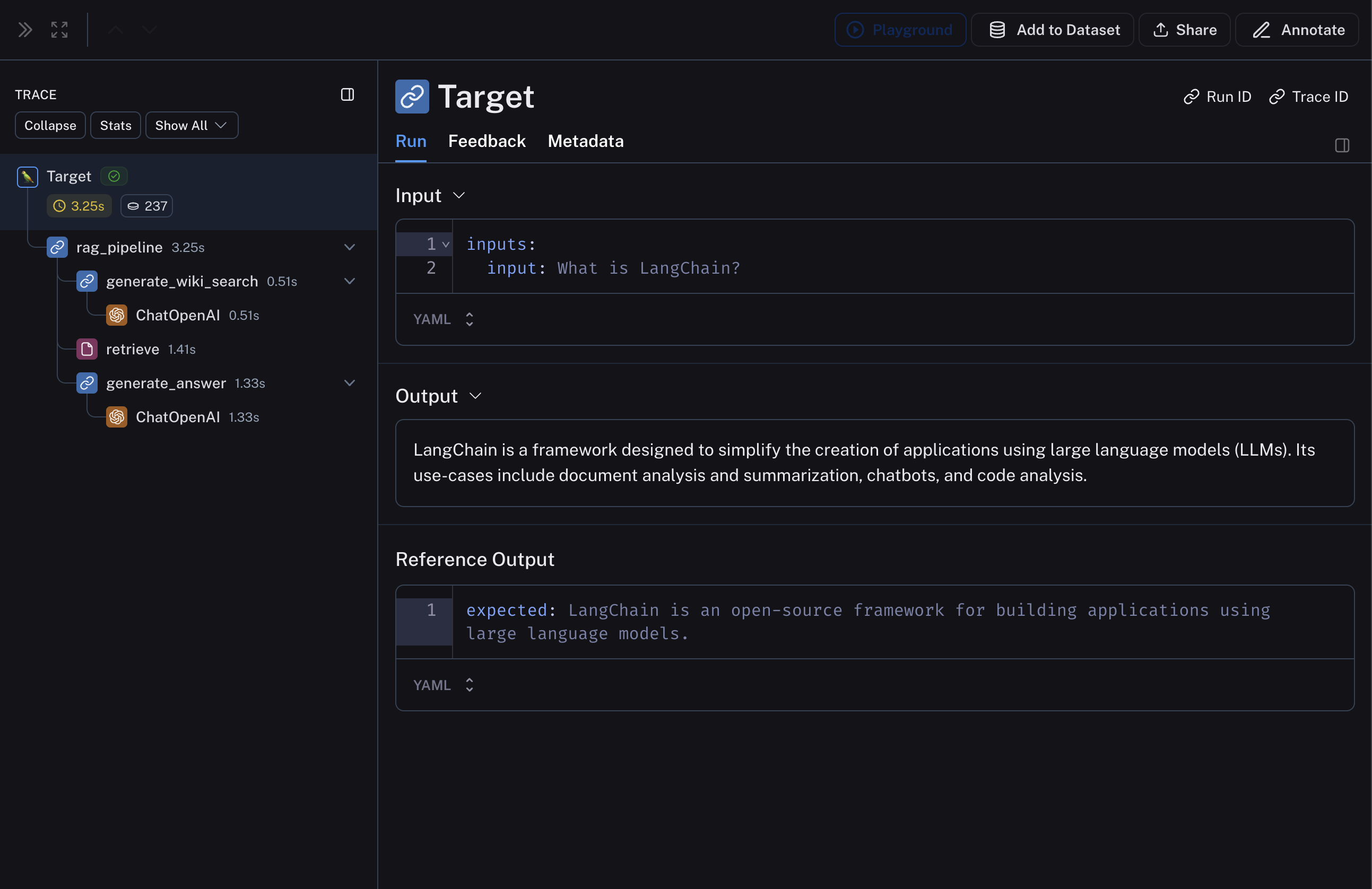
run/rootRun argument, which is a Run object that contains the intermediate steps of your pipeline.
1. Define your LLM pipeline
The below RAG pipeline consists of 1) generating a Wikipedia query given the input question, 2) retrieving relevant documents from Wikipedia, and 3) generating an answer given the retrieved documents.langsmith>=0.3.13
2. Create a dataset and examples to evaluate the pipeline
We are building a very simple dataset with a couple of examples to evaluate the pipeline. Requireslangsmith>=0.3.13
3. Define your custom evaluators
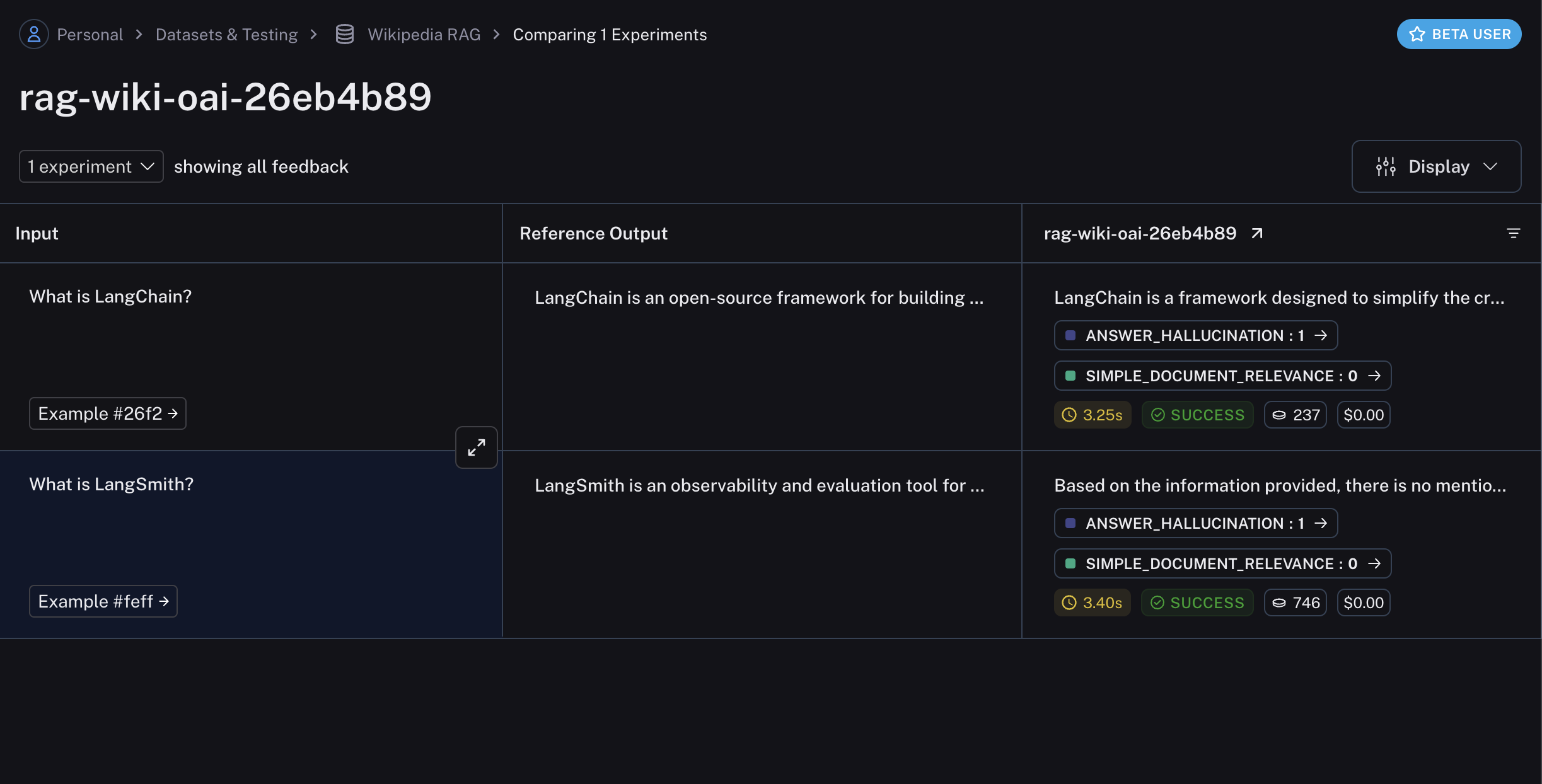
As mentioned above, we will define two evaluators: one that evaluates the relevance of the retrieved documents with respect to the input query and another that evaluates the hallucination of the generated answer with respect to the retrieved documents. We will be using LangChain LLM wrappers, along withwith_structured_output to define the evaluator for hallucination.
The key here is that the evaluator function should traverse the run / rootRun argument to access the intermediate steps of the pipeline. The evaluator can then process the inputs and outputs of the intermediate steps to evaluate according to the desired criteria.
Example uses langchain for convenience, this is not required.
4. Evaluate the pipeline
Finally, we’ll runevaluate with the custom evaluators defined above.
Related
Connect these docs to your agent of choice via MCP for real-time answers.