

requests library in Python as an example. However, the same principles apply to any language.
Request body schema
Uploading an experiment requires specifying the relevant high-level information for your experiment and dataset, along with the individual data for your examples and runs within the experiment. Each object in theresults represents a “row” in the experiment - a single dataset example, along with an associated run. Note that dataset_id and dataset_name refer to your dataset identifier in your external system and will be used to group external experiments together in a single dataset. They should not refer to an existing dataset in LangSmith (unless that dataset was created via this endpoint).
You may use the following schema to upload experiments to the /datasets/upload-experiment endpoint:
experiment and dataset, each of which is an object that contains relevant information about the experiment and dataset that was created.
Considerations
You may upload multiple experiments to the same dataset by providing the same dataset_id or dataset_name between multiple calls. Your experiments will be grouped together under a single dataset, and you will be able to use the comparison view to compare results between experiments. Ensure that the start and end times of your individual rows are all between the start and end time of your experiment. You must provide either a dataset_id or a dataset_name. If you only provide an ID and the dataset does not yet exist, we will generate a name for you, and vice versa if you only provide a name. You may not upload experiments to a dataset that was not created via this endpoint. Uploading experiments is only supported for externally-managed datasets.Example request
Below is an example of a simple call to the/datasets/upload-experiment. This is a basic example that just uses the most important fields as an illustration.
View the experiment in the UI
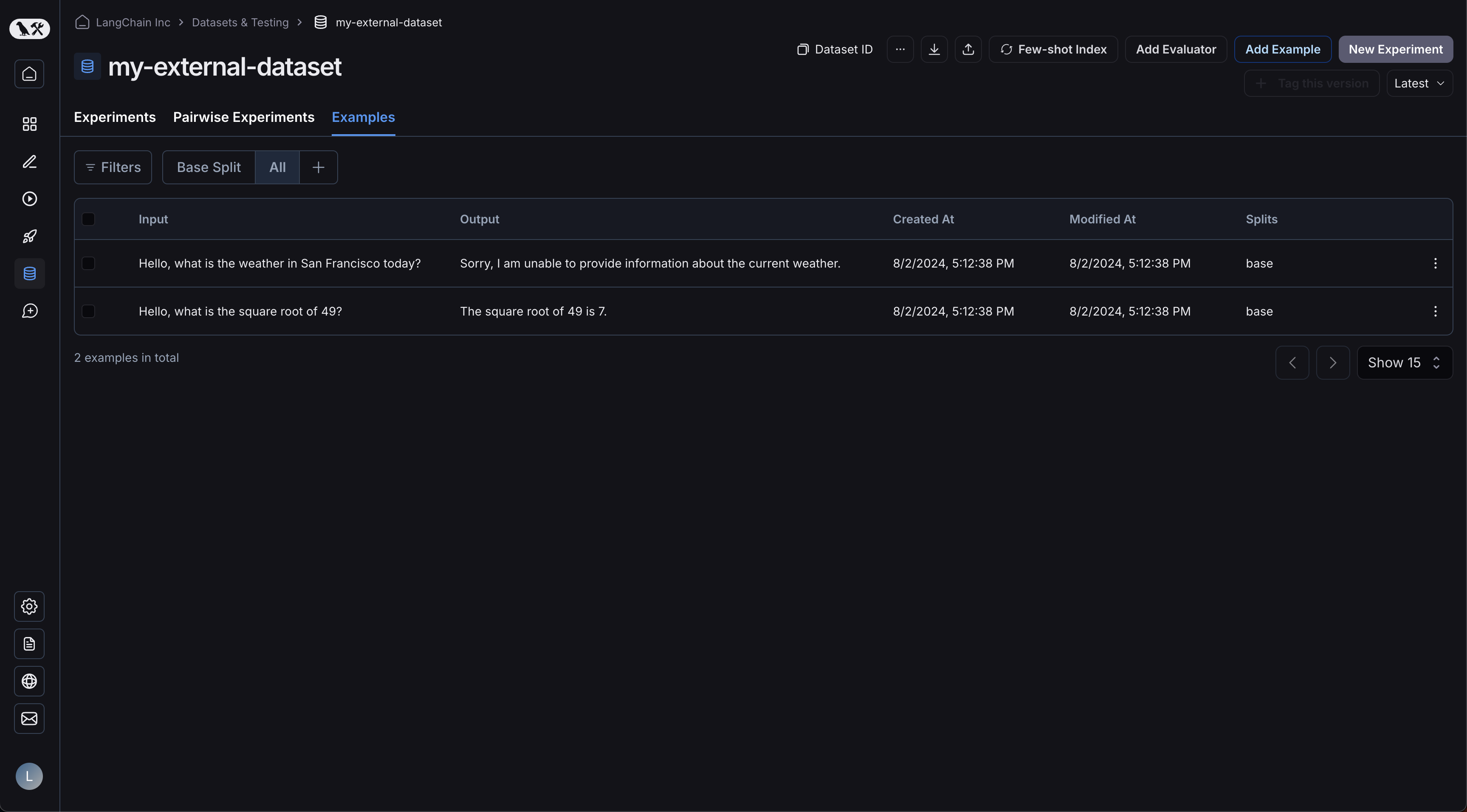
Now, login to the UI and click on your newly-created dataset! You should see a single experiment: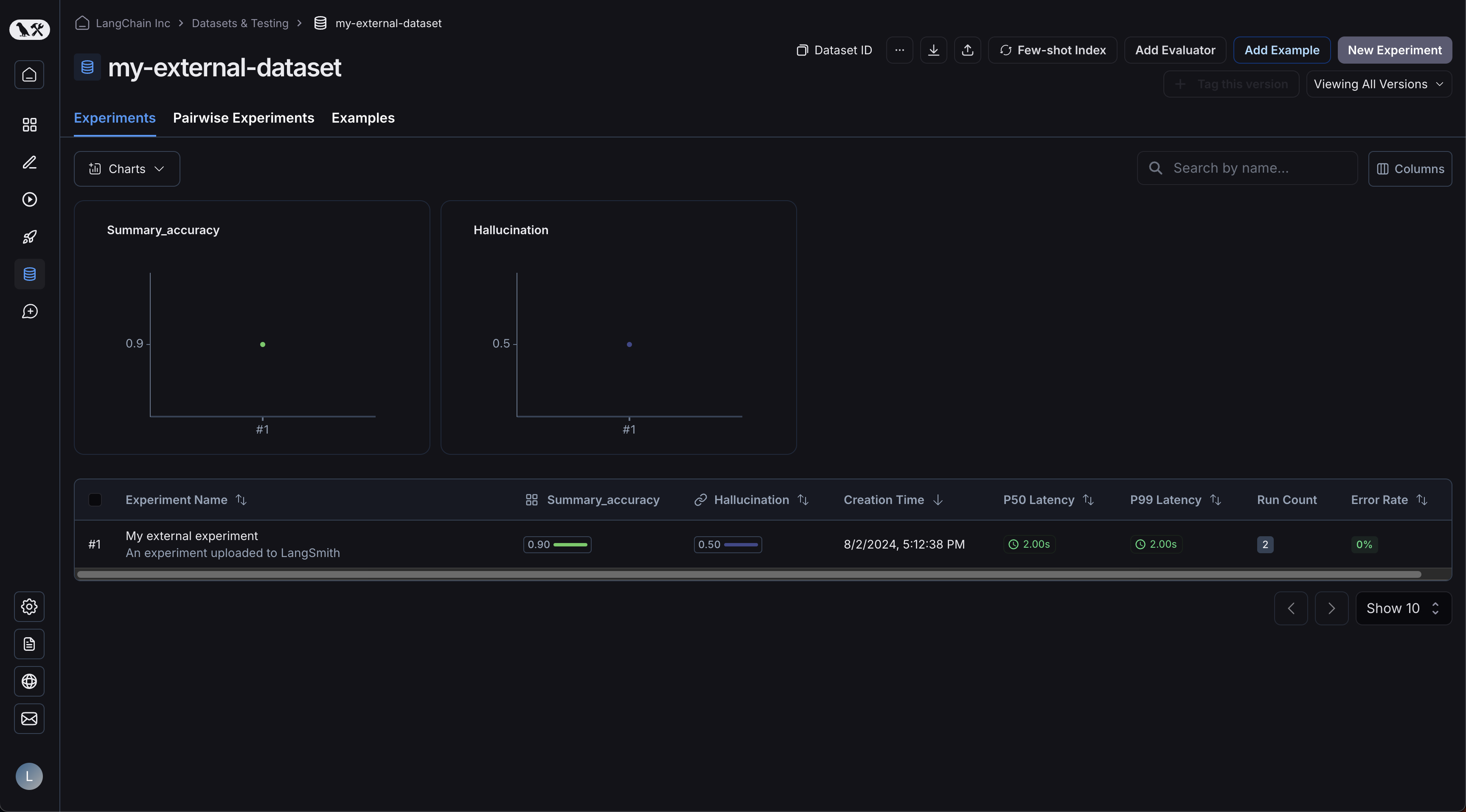 Your examples will have been uploaded:
  Clicking on your experiment will bring you to the comparison view:
 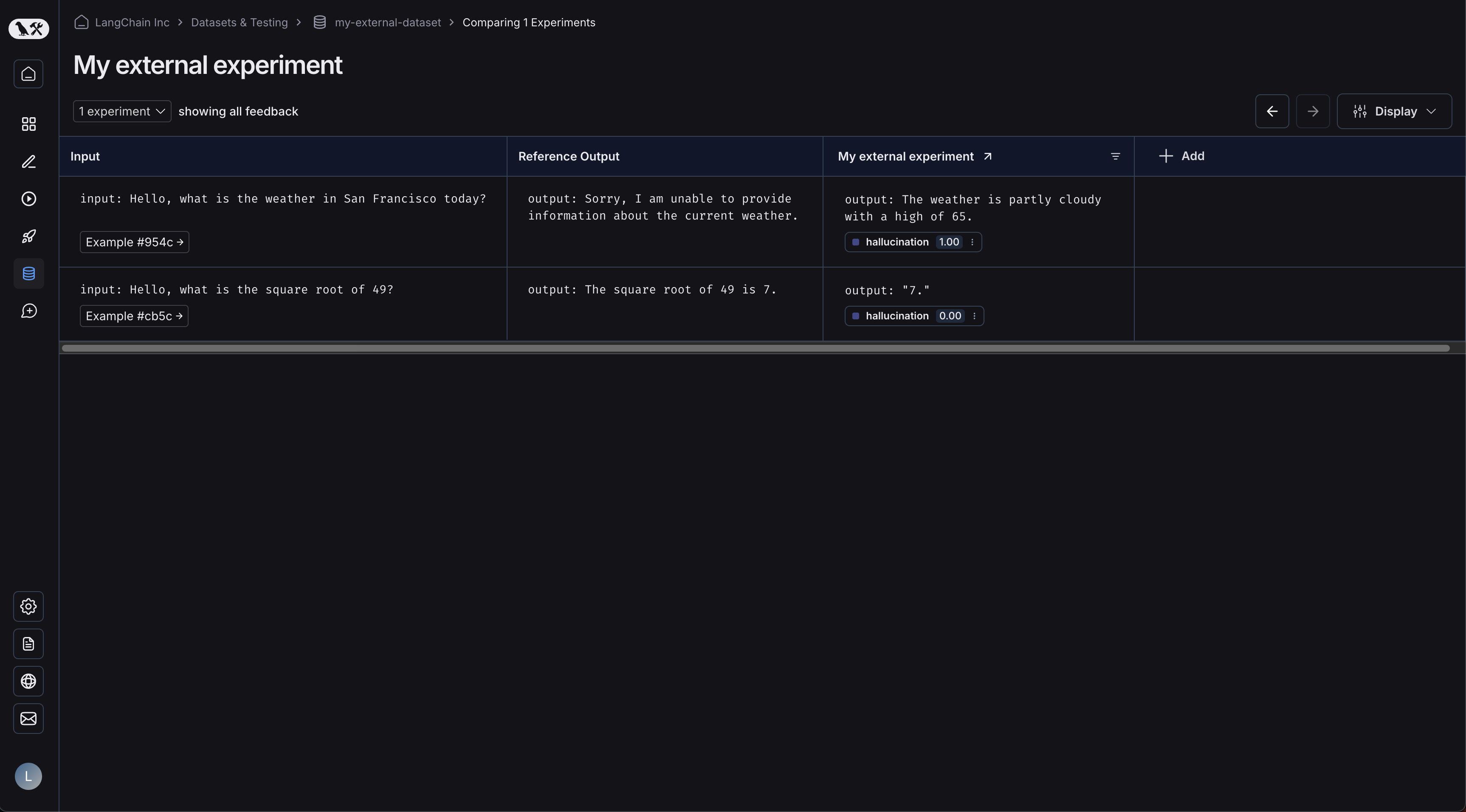 As you upload more experiments to your dataset, you will be able to compare the results and easily identify regressions in the comparison view.
Connect these docs to your agent of choice via MCP for real-time answers.