

- Select sample runs from your production tracing project to test against.
- Transform the run inputs into a dataset and record the run outputs as an initial experiment against that dataset.
- Execute your new system on the new dataset and compare the results of the experiments.
Often, you won’t have definitive “ground truth” answers available. In such cases, you can manually label the outputs or use evaluators that don’t rely on reference data. If your application allows for capturing ground-truth labels, for example by allowing users to leave feedback, we strongly recommend doing so.
Setup
Configure the environment
Install and set environment variables. This guide requireslangsmith>=0.2.4.
For convenience we’ll use the LangChain OSS framework in this tutorial, but the LangSmith functionality shown is framework-agnostic.
Define the application
For this example lets create a simple Tweet-writing application that has access to some internet search tools:Simulate production data
Now lets simulate some production data:Convert production traces to experiment
The first step is to generate a dataset based on the production inputs. Then copy over all the traces to serve as a baseline experiment.Select runs to backtest on
You can select the runs to backtest on using thefilter argument of list_runs. The filter argument uses the LangSmith trace query syntax to select runs.
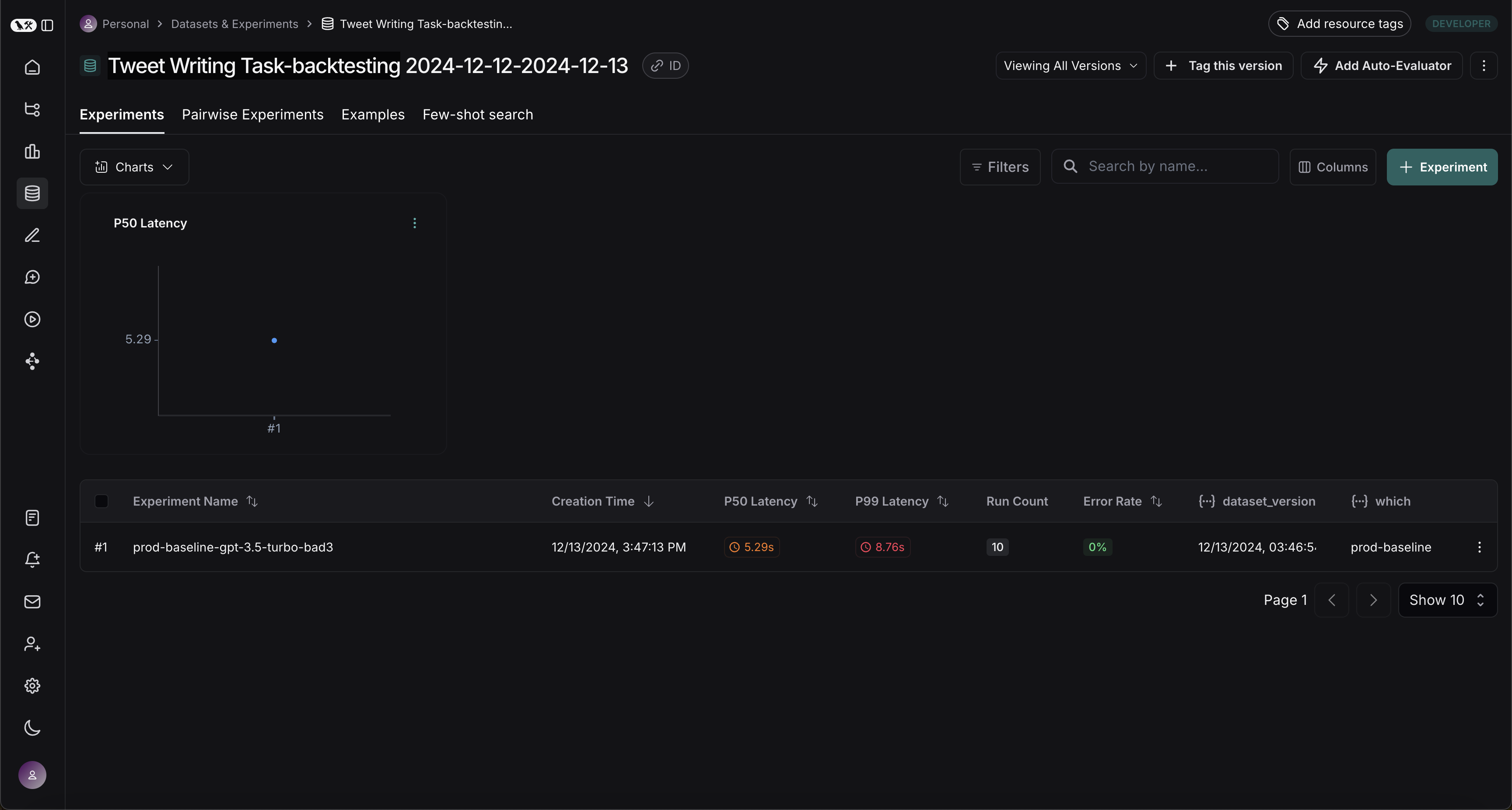
Convert runs to experiment
convert_runs_to_test is a function which takes some runs and does the following:
- The inputs, and optionally the outputs, are saved to a dataset as Examples.
- The inputs and outputs are stored as an experiment, as if you had run the
evaluatefunction and received those outputs.
Benchmark against new system
Now we can start the process of benchmarking our production runs against a new system.Define evaluators
First let’s define the evaluators we will use to compare the two systems. Note that we have no reference outputs, so we’ll need to come up with evaluation metrics that only require the actual outputs.Evaluate baseline
Now, let’s run our evaluators against the baseline experiment.Define and evaluate new system
Now, let’s define and evaluate our new system. In this example our new system will be the same as the old system, but will use GPT-4o instead of GPT-3.5. Since we’ve made our model configurable we can just update the default config passed to our agent:Comparing the results
After running both experiments, you can view them in your dataset: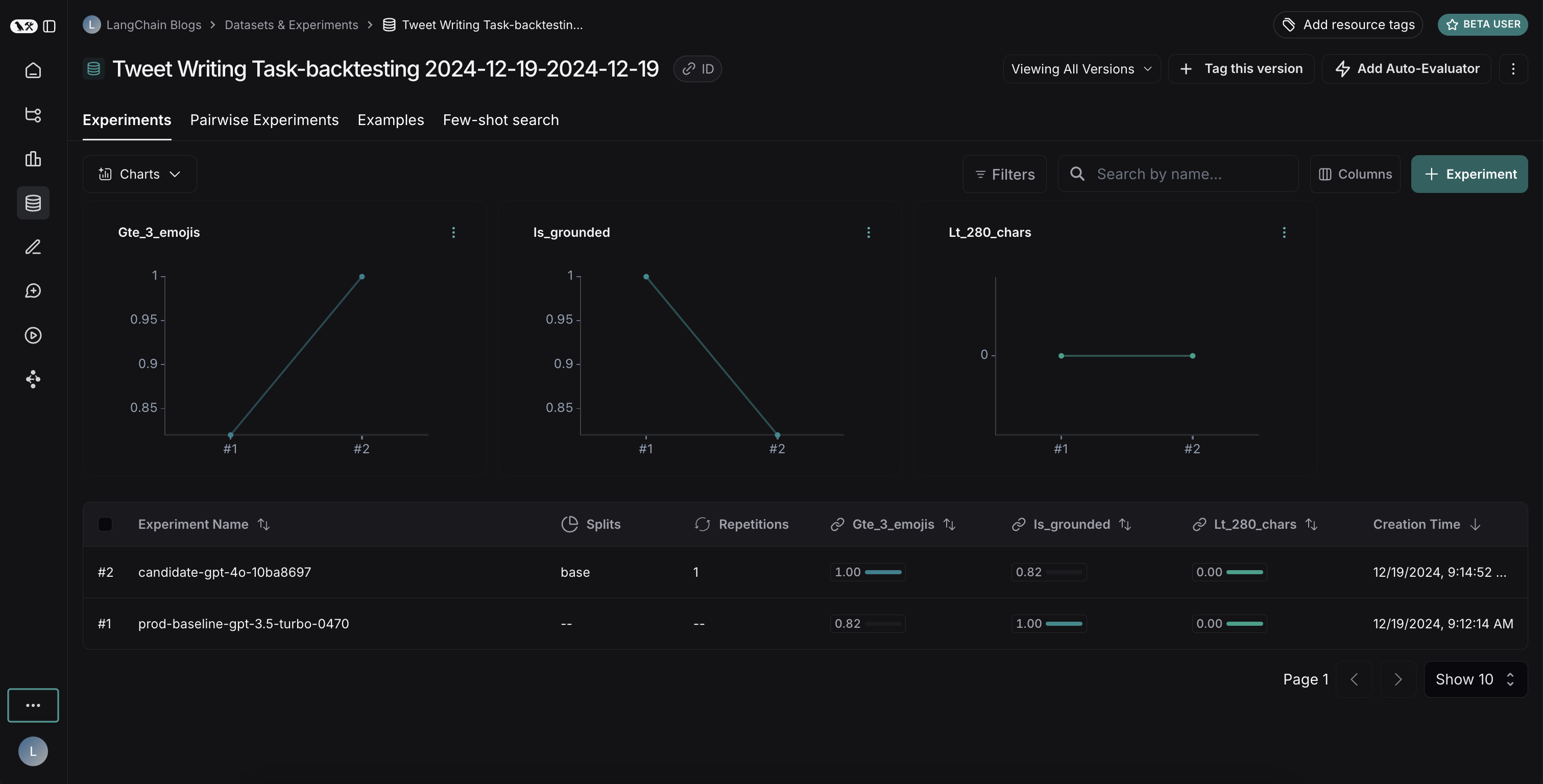
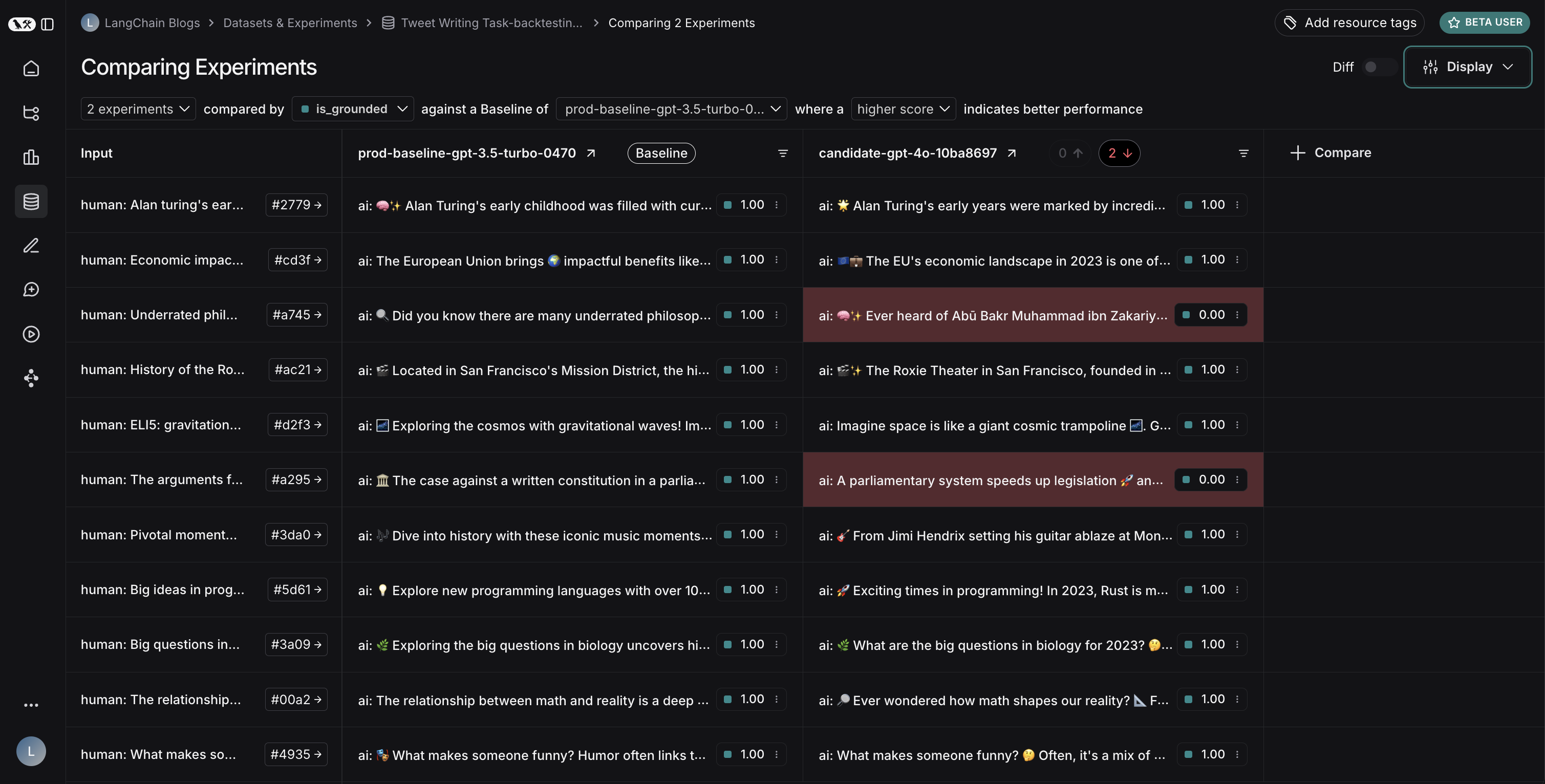
- GPT-4o shows improved performance in following formatting rules, consistently including the requested number of emojis
- However, GPT-4o is less reliable at staying grounded in the provided search results
- Refine our prompts to more strongly emphasize using only provided information
- Or modify our system architecture to better constrain the model’s outputs
Connect these docs to your agent of choice via MCP for real-time answers.