

Self-hosted LangSmith is an add-on to the Enterprise plan designed for LangChain’s largest, most security-conscious customers. For more details, refer to Pricing. Contact our sales team if you want a license key to trial LangSmith in your environment.
- LangSmith UI and APIs: Observability, tracing, evaluation, Insights, and Chat.
- Backend services: Queue, playground, and ACE.
- Datastores: PostgreSQL, Redis, ClickHouse, and optional blob storage.
- Google Kubernetes Engine (GKE)
- Amazon Elastic Kubernetes Service (EKS)
- Azure Kubernetes Service (AKS)
- OpenShift 4.14 or later
- Minikube and Kind (for development purposes)
Prerequisites
To self-host LangSmith on Kubernetes, gather the following before you install.Tools
- kubectl: Access to your Kubernetes cluster.
- Helm: The package manager that installs the LangSmith chart. To install it, refer to the Helm documentation.
- OpenSSL: Generates the API key salt and JWT secret.
- Python with the
cryptographypackage: Generates the Insights and Chat encryption keys.
Keys and secrets
- LangSmith license key: Get this from your LangChain representative. Contact our sales team for more information.
-
API key salt and JWT secret: Random strings. LangSmith uses the salt to hash API keys at rest and the JWT secret to sign tokens for basic auth. Generate a separate value for each:
-
Insights and Chat encryption keys: Insights and Chat (formerly Polly) are enabled by default in Helm chart version 0.15.1 or later. Each requires a Fernet encryption key at installation time. Generate a separate key for each feature:
Kubernetes cluster
You need a working Kubernetes cluster that you can access withkubectl. Your cluster needs the following minimum resources:
-
Recommended: At least 16 vCPUs and 64GB of memory available.
- You may need to tune resource requests and limits for each service based on organization size and usage. For recommendations, refer to the self-host scale guide.
- Use a cluster autoscaler to scale nodes up and down based on resource usage.
- Set up the metrics server so that autoscaling can be turned on.
- If you run ClickHouse in-cluster, you must have a node with at least 4 vCPUs and 16GB of memory allocatable, because ClickHouse requests this amount of resources by default.
-
A valid dynamic PV provisioner or PVs available on your cluster (required only if you run datastores in-cluster).
- To enable persistence, LangSmith tries to provision volumes for any datastore running in-cluster.
- If you use PVs in your cluster, set up backups in a production environment.
- Use a storage class backed by SSDs for better performance. LangChain recommends 7000 IOPS and 1000 MiB/s throughput.
- On EKS, you may need to install and configure the
ebs-csi-driverfor dynamic provisioning. Refer to the EBS CSI Driver documentation for more information.
The output should show at least one storage class with a provisioner that supports dynamic provisioning. For example:Refer to the Kubernetes documentation for more information on storage classes.Use a storage class that supports volume expansion. Traces can require a lot of disk space, and your volumes may need to be resized over time.
LangSmith services listen on both IPv4 and IPv6 by default as of 0.14.0. No additional configuration is required for IPv4-only, IPv6-only, or dual-stack clusters.
Network access
- License verification: Unless you run in offline (air-gapped) mode, LangSmith requires egress to
https://beacon.langchain.comfor license verification and usage reporting. For details, refer to Egress. - Model provider access: Insights and Chat require provider credentials and model configurations. If your cluster has no internet access, confirm which model provider endpoints it can reach before you install.
- Container images and charts: If your cluster cannot reach public registries, mirror the LangSmith images to your own registry and install from local charts.
Datastores
LangSmith uses a PostgreSQL database, a Redis cache, and a ClickHouse database to store traces. By default, these services are installed inside your Kubernetes cluster. For production, use external datastores instead. For PostgreSQL and Redis, the best option is your cloud provider’s managed services. For more information, refer to the following setup guides for external services: For the minimum supported version of each datastore, refer to Minimum versions for self-hosting dependencies. SmithDB is an optional datastore that you can enable after the base installation. This guide does not require it.Configure your Helm charts
-
Create a new file called
langsmith_config.yaml. Set only the options your installation needs:- If you are new to Kubernetes or Helm, start from one of the LangSmith Helm chart examples.
- For a full list of configuration options, refer to the LangSmith Helm chart
values.yaml.
-
Set the following minimum configuration options (using basic auth), with the keys and secrets from the prerequisites:
To store the keys in an existing Secret, or to disable Insights or Chat, see Configure Insights and Chat.
- If you use external datastores, add their connection details.
Configure a signing JWKS
Self-hosted LangSmith uses an Ed25519 JSON Web Key Set (JWKS) to sign tokens for its OAuth Authorization Server and LLM auth proxy. Configuring this key enables self-hosted OAuth login, includinglangsmith auth login and Remote MCP authentication, and allows LangSmith to sign requests sent through an LLM auth proxy.
The JWKS contains a private key. Store it in a Kubernetes Secret and keep it stable across upgrades. LangSmith derives the public key and serves it from /.well-known/jwks.json, so clients such as the LLM auth proxy can verify tokens without receiving the private key.
The Helm configuration in this section requires LangSmith chart version 0.16.0 or later.
step crypto jwk create sets use to sig, alg to EdDSA, and kid to the key’s thumbprint. If you generate the key another way, give the first key a nonempty kid. Sandbox service URLs require it.
Choose one of the following storage options:
-
Chart-managed Secret: Set
config.signingJwksin your LangSmithlangsmith_config.yaml. The chart stores the value in its managed Kubernetes Secret. -
Existing Secret: If your installation already uses
config.existingSecretName, add the generated JWKS to that Secret under the exact keylangsmith_signing_jwks:config.existingSecretNamereplaces the chart-managed Secret for the entire LangSmith installation. Do not point it to a JWKS-only Secret. Preserve all existing keys, includinglangsmith_license_keyandapi_key_salt. For the complete Secret structure, see Use an existing Secret for your installation.
d field.
Deploy to Kubernetes
-
Verify that you can connect to your Kubernetes cluster. Install into an empty namespace.
-
Run
kubectl get podsThe output should look something like:
If you are using a namespace other than the default namespace, specify the namespace in thehelmandkubectlcommands by using the-n <namespace>flag. -
Run
-
Ensure you have the LangChain Helm repo added (skip this step if you are using local charts).
-
Find the latest version of the chart. You can find the available versions in the Helm Chart repository.
- LangChain recommends using the latest version.
- You can also run
helm search repo langchain/langsmith --versionsto see the available versions. The output looks something like this:
-
Run
helm upgrade -i langsmith langchain/langsmith --values langsmith_config.yaml --version <version> -n <namespace> --wait --debug- Replace
<namespace>with the namespace you want to deploy LangSmith to. - Replace
<version>with the version of LangSmith you want to install from the previous step. Most users should install the latest version available.
The latest stable chart is on the v17 line (0.17.x). Values written for the v16 line can fail to render on v17. If you are upgrading an existing v16 installation rather than installing a new one, follow Upgrade from v16 to v17 first.When theThe namespace specified with-n <namespace>must already exist before running this command. If it does not exist, either create it first withkubectl create namespace <namespace>, or add the--create-namespaceflag to the helm command above.helm installcommand finishes successfully, you should see output similar to this:This may take a few minutes to complete, because it creates several Kubernetes resources and runs several jobs to initialize the database and other services. - Replace
-
Run
kubectl get pods. The output should now look something like this (the exact pod names may vary based on the version and configuration you used):
Validate your deployment
-
Run
kubectl get servicesThe output should look something like: -
Curl the external IP of the
langsmith-frontendservice:Expected output: -
Visit the external IP for the
langsmith-frontendservice in your browser. The LangSmith UI should be visible and operational.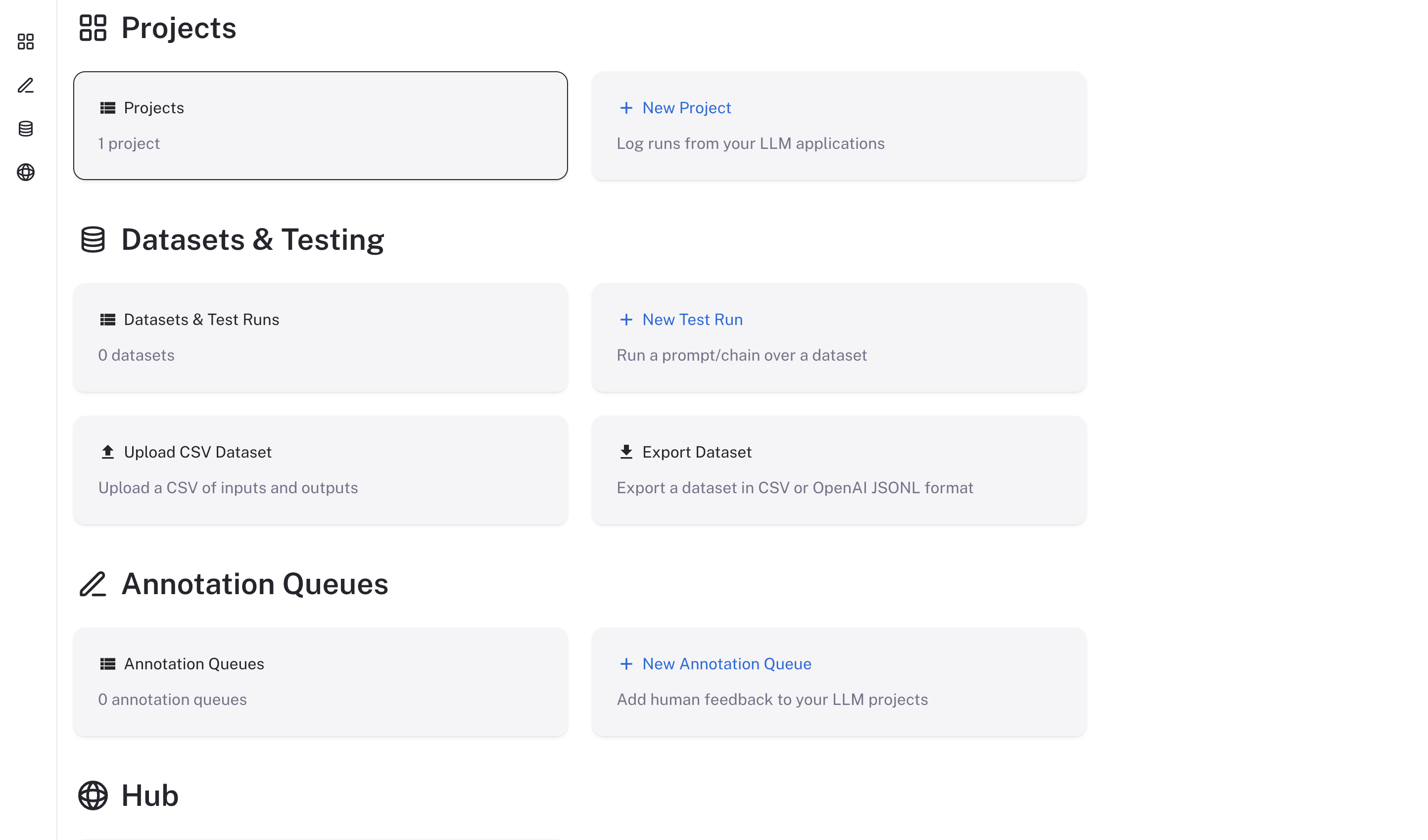
Next steps
After completing this guide, your LangSmith instance should be running, but it may not be fully configured yet.-
Log in with the admin email address and password you set in
langsmith_config.yaml. - Configure model access for Insights and Chat. See Configure model access.
- Point your agents at the instance and start tracing. See Interact with your self-hosted instance.
-
Work with your infrastructure administrators to:
- Set up DNS for your LangSmith instance to enable easier access.
- Configure SSL to ensure in-transit encryption of traces submitted to LangSmith.
- Configure LangSmith with Single Sign-On to secure your LangSmith instance.
- Set up blob storage for storing large files.
- Optional: Add Sandboxes, Engine, Fleet, or LangSmith Deployment. Follow only the setup guides your use case requires in Configure additional self-hosted features.
Connect these docs to your agent of choice via MCP for real-time answers.