> ## Documentation Index
> Fetch the complete documentation index at: https://docs.langchain.com/llms.txt
> Use this file to discover all available pages before exploring further.
# LangSmith Sandboxes
> Use LangSmith managed sandboxes to safely execute code and interact with the filesystem in isolated environments.
Sandboxes are isolated environments that allow agents to safely execute potentially risky operations, like running arbitrary code or interacting with the filesystem, without affecting your main infrastructure.
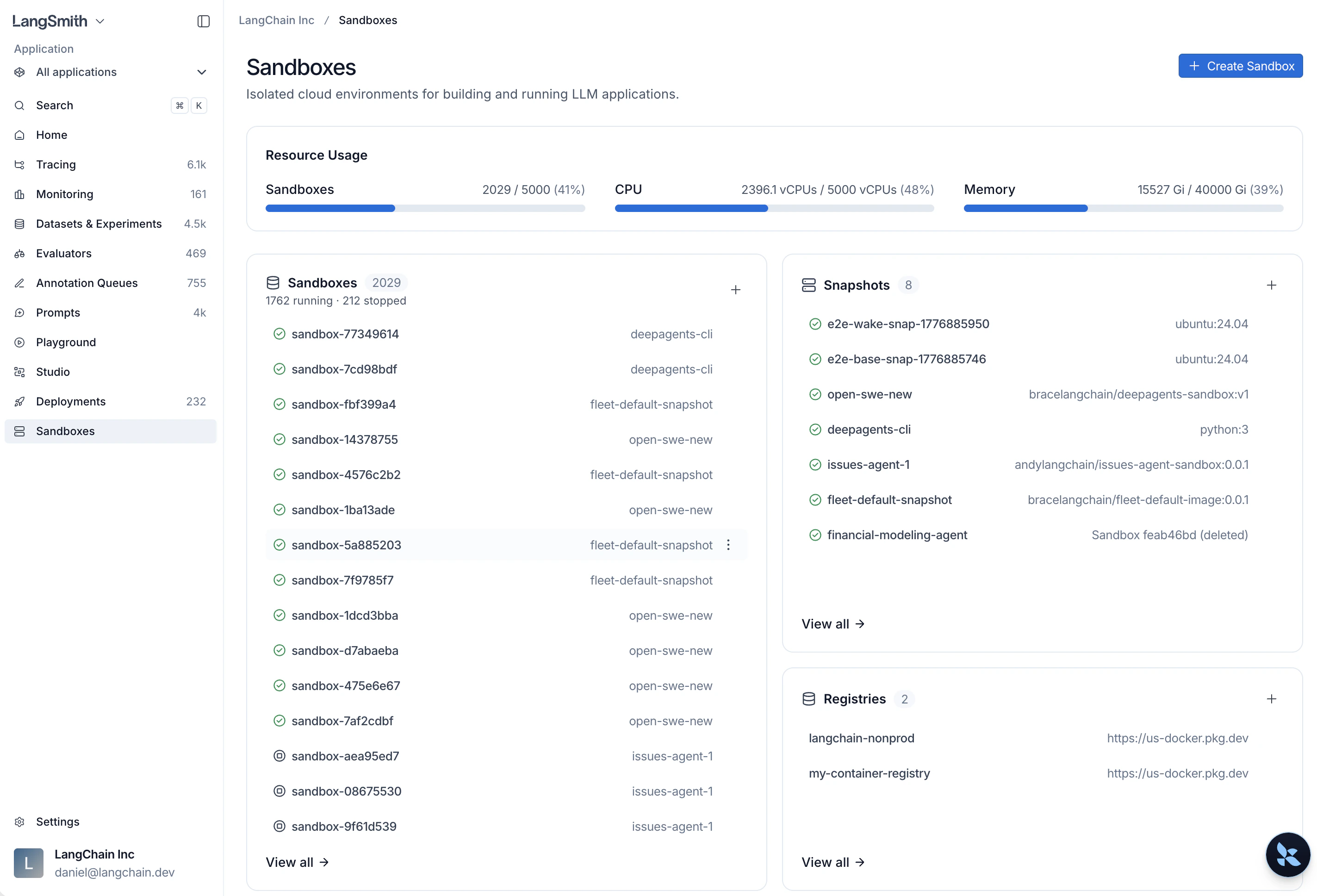
From the [LangSmith homepage](https://smith.langchain.com?utm_source=docs\&utm_medium=cta\&utm_campaign=langsmith-signup\&utm_content=langsmith-sandboxes), select **Sandboxes** to manage all your sandbox resources.
 ## Environment availability
| Environment | Status |
| ------------------------------------- | ------------------- |
| GCP US (`smith.langchain.com`) | Generally available |
| GCP EU (`eu.smith.langchain.com`) | Generally available |
| GCP APAC (`apac.smith.langchain.com`) | Generally available |
| AWS US (`aws.smith.langchain.com`) | Generally available |
## Get started
### 1. Install the SDK
```bash Python theme={"theme":{"light":"catppuccin-latte","dark":"catppuccin-mocha"}}
# uv
uv add "langsmith[sandbox]"
# pip
pip install "langsmith[sandbox]"
```
```bash TypeScript theme={"theme":{"light":"catppuccin-latte","dark":"catppuccin-mocha"}}
npm install langsmith
```
### 2. Set your API key
```bash theme={"theme":{"light":"catppuccin-latte","dark":"catppuccin-mocha"}}
export LANGSMITH_API_KEY=""
```
### 3. Create and run a sandbox
```python Python theme={"theme":{"light":"catppuccin-latte","dark":"catppuccin-mocha"}}
from langsmith.sandbox import SandboxClient
client = SandboxClient()
with client.sandbox() as sb:
result = sb.run("python -c 'print(2 + 2)'")
print(result.stdout) # "4\n"
```
```ts TypeScript theme={"theme":{"light":"catppuccin-latte","dark":"catppuccin-mocha"}}
import { SandboxClient } from "langsmith/sandbox";
const client = new SandboxClient();
const sandbox = await client.createSandbox();
const result = await sandbox.run("node -e 'console.log(2 + 2)'");
console.log(result.stdout); // "4\n"
await sandbox.delete();
```
Prefer the command line? The [Sandbox CLI](/langsmith/sandbox-cli) lets you create sandboxes, run commands, and open interactive shells without writing any code.
### 4. Use sandboxes with your agents
To wire sandboxes into agent code, see the Open Source docs:
* **Deep Agents**: [Use `LangSmithSandbox` as a backend](/oss/python/integrations/sandboxes/langsmith), covering installation, backend creation, and cleanup.
* **Sandboxes as agent backends**: [Configure any sandbox as the execution backend](/oss/python/deepagents/sandboxes) to give your agent `execute` and filesystem tools automatically.
* **LangChain / LangGraph integrations**: Use LangSmith sandboxes as a first-party option, or [connect third-party providers](/oss/python/integrations/sandboxes) such as AgentCore, Daytona, E2B, Modal, Runloop, and Vercel.
## Resources
Build filesystem images from Docker images or capture a running sandbox, then boot sandboxes from them.
Access HTTP services running inside sandboxes via authenticated URLs.
Inject credentials into outbound API requests without hardcoding secrets.
Attach S3 buckets, GCS buckets, and public Git repositories to a sandbox filesystem.
Control which workspace members can interact with a sandbox after it is created.
Build snapshots, manage sandboxes, open consoles, and tunnel TCP ports from the command line.
Create and manage sandboxes programmatically with the Python or TypeScript SDK.
Run Harbor evaluations and rollouts on LangSmith sandboxes.
***
## Environment availability
| Environment | Status |
| ------------------------------------- | ------------------- |
| GCP US (`smith.langchain.com`) | Generally available |
| GCP EU (`eu.smith.langchain.com`) | Generally available |
| GCP APAC (`apac.smith.langchain.com`) | Generally available |
| AWS US (`aws.smith.langchain.com`) | Generally available |
## Get started
### 1. Install the SDK
```bash Python theme={"theme":{"light":"catppuccin-latte","dark":"catppuccin-mocha"}}
# uv
uv add "langsmith[sandbox]"
# pip
pip install "langsmith[sandbox]"
```
```bash TypeScript theme={"theme":{"light":"catppuccin-latte","dark":"catppuccin-mocha"}}
npm install langsmith
```
### 2. Set your API key
```bash theme={"theme":{"light":"catppuccin-latte","dark":"catppuccin-mocha"}}
export LANGSMITH_API_KEY=""
```
### 3. Create and run a sandbox
```python Python theme={"theme":{"light":"catppuccin-latte","dark":"catppuccin-mocha"}}
from langsmith.sandbox import SandboxClient
client = SandboxClient()
with client.sandbox() as sb:
result = sb.run("python -c 'print(2 + 2)'")
print(result.stdout) # "4\n"
```
```ts TypeScript theme={"theme":{"light":"catppuccin-latte","dark":"catppuccin-mocha"}}
import { SandboxClient } from "langsmith/sandbox";
const client = new SandboxClient();
const sandbox = await client.createSandbox();
const result = await sandbox.run("node -e 'console.log(2 + 2)'");
console.log(result.stdout); // "4\n"
await sandbox.delete();
```
Prefer the command line? The [Sandbox CLI](/langsmith/sandbox-cli) lets you create sandboxes, run commands, and open interactive shells without writing any code.
### 4. Use sandboxes with your agents
To wire sandboxes into agent code, see the Open Source docs:
* **Deep Agents**: [Use `LangSmithSandbox` as a backend](/oss/python/integrations/sandboxes/langsmith), covering installation, backend creation, and cleanup.
* **Sandboxes as agent backends**: [Configure any sandbox as the execution backend](/oss/python/deepagents/sandboxes) to give your agent `execute` and filesystem tools automatically.
* **LangChain / LangGraph integrations**: Use LangSmith sandboxes as a first-party option, or [connect third-party providers](/oss/python/integrations/sandboxes) such as AgentCore, Daytona, E2B, Modal, Runloop, and Vercel.
## Resources
Build filesystem images from Docker images or capture a running sandbox, then boot sandboxes from them.
Access HTTP services running inside sandboxes via authenticated URLs.
Inject credentials into outbound API requests without hardcoding secrets.
Attach S3 buckets, GCS buckets, and public Git repositories to a sandbox filesystem.
Control which workspace members can interact with a sandbox after it is created.
Build snapshots, manage sandboxes, open consoles, and tunnel TCP ports from the command line.
Create and manage sandboxes programmatically with the Python or TypeScript SDK.
Run Harbor evaluations and rollouts on LangSmith sandboxes.
***
[Connect these docs](/use-these-docs) to Claude, VSCode, and more via MCP for real-time answers.
[Edit this page on GitHub](https://github.com/langchain-ai/docs/edit/main/src/langsmith/sandboxes.mdx) or [file an issue](https://github.com/langchain-ai/docs/issues/new/choose).